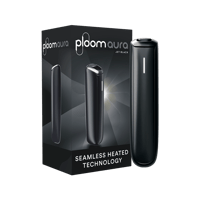
My Ploom AURA isn't working, what do I do?
If your device does not heat automatically, with no vibration or blinking LED light, the Automatic Start function may not have detected the stick. This may be due to inserting the stick too quickly or not inserting it within 10 seconds after activating your device. Remove the stick and try again.
You can also start a session without using the Automatic Start function. To use Ploom AURA without Automatic Start, press and hold the button area just below the LED line for approximately one second. You will feel a long vibration and see a blinking LED light indicating that your device has started heating.
If heating still does not start after these steps, the Ploom Consumer Care team is always ready to assist you. You can contact us through the following channels:
Phone: 0392 444 75 66
Email: <ploom@trnc.ploom.com>
Working hours: Weekdays 08:00 – 22:00
Weekends 10:00 – 18:00